 Sally
SallyA fast, keyboard-first
file manager for Windows
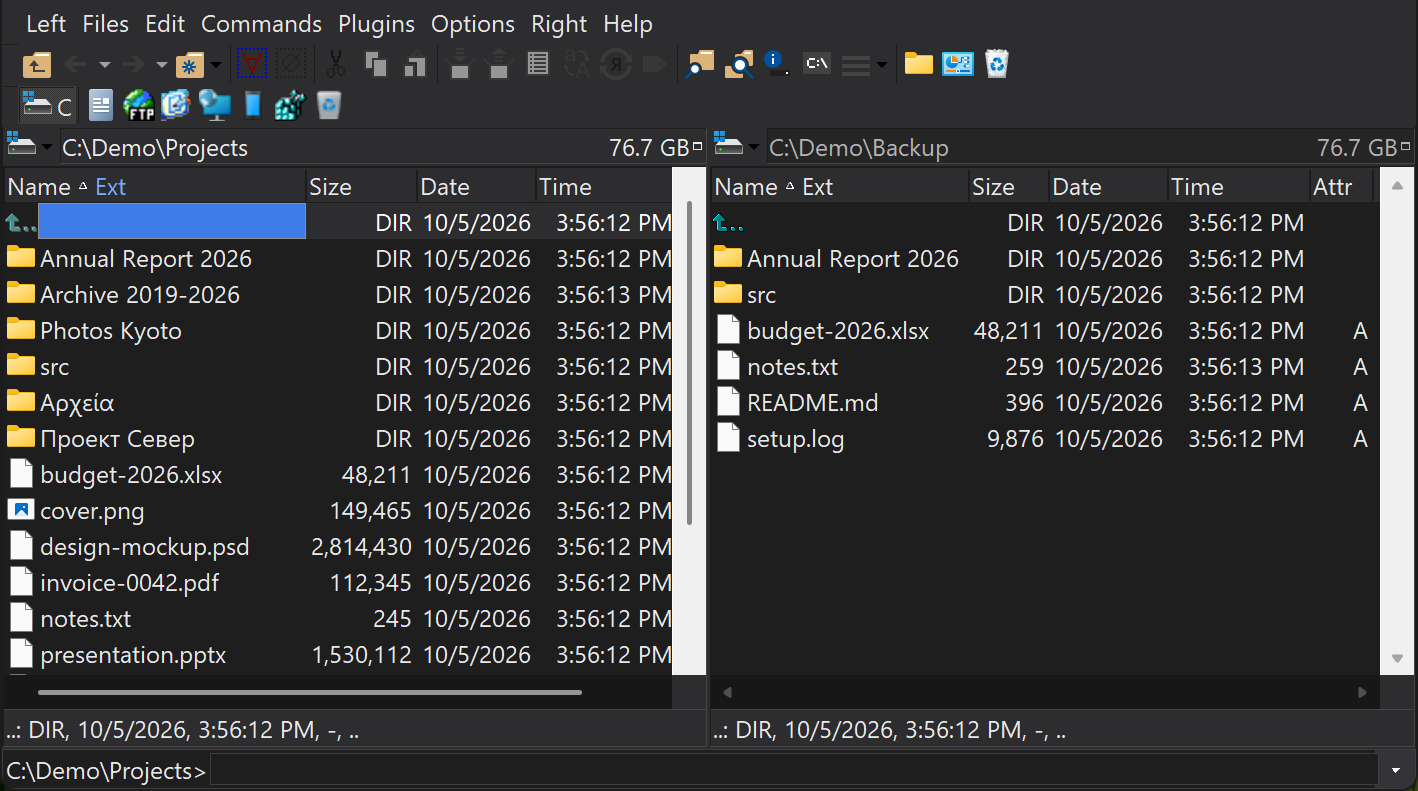
Sally keeps the classic Open Salamander dual-panel workflow and moves it forward: Unicode and long paths, dark mode, Windows Terminal, native ARM64, modern viewers and a full set of bundled plugins. Free and open source.
Version 1.0.32 · portable zip, unpack and run sally.exe · Other downloads · What's new
- F5Copy
- F6Move
- F3View
- F4Edit
- AltF7Find
- ShiftF9Hot paths
- TabOther panel
Why Sally
Open Salamander earned its users by making serious file work feel direct: two panels, fast keyboard commands, rich viewers, archives and plugins in a compact window. Sally keeps that muscle memory and fixes the places where the original was showing its age.
Built for real file names
Unicode names and Windows long paths up to 32,767 characters work through copy, move, delete, rename, drag and drop, Find, viewers and network paths.
File operationsDark mode, classic layout
Light, Dark or System theme across the core and the bundled plugins, without turning Sally into a different program. High Contrast still wins.
AppearanceWindows Terminal built in
Open any Windows Terminal profile, PowerShell, WSL or Command Prompt, in the active panel's folder, and choose what the command shell key opens.
Windows integrationArchives as folders
Open ZIP, 7-Zip, RAR, TAR, ISO and more like ordinary folders; view, copy out, add and delete files inside them.
ArchivesFind, then act safely
Search by name, content, size, date and attributes; save and reload results, find duplicates, and run file operations straight from the result list.
SearchPlugins included
FTP client, file comparison, batch rename, checksums, DiskMap, undelete, registry editor and viewers, all in the box.
PluginsMade for the keyboard
Every command has a key, and the menus show it, so you learn as you go. Quick Search jumps to a name as you type, Ctrl+1…9 jumps to your hot paths, Alt+Left walks back through the folders you visited, and the User Menu runs your own tools on the selected files.
| Press | To |
|---|---|
| Insert / Space | Select the focused item / calculate a folder's size |
| Num + / Num - | Select or deselect by mask, for example *.log |
| Alt+F1 / Alt+F2 | Change drive in the left / right panel |
| Ctrl+Shift+R | Batch-rename the selection |
| Ctrl+F10 | Compare the folders in both panels |
| F2 | Quick rename in place |
| Shift+F1 | Context help for the command you point at |
Small project, steady releases
User reports turn into fixes and releases quickly. Every release is built in public CI, checked for regressions in a clean Windows install, and published on GitHub with checksums and debug symbols.
- 3
- architectures: x64, x86, ARM64
- 11
- UI languages in every release
- 31
- bundled plugins
- GPL
- free software, source on GitHub
Runs on Linux, too
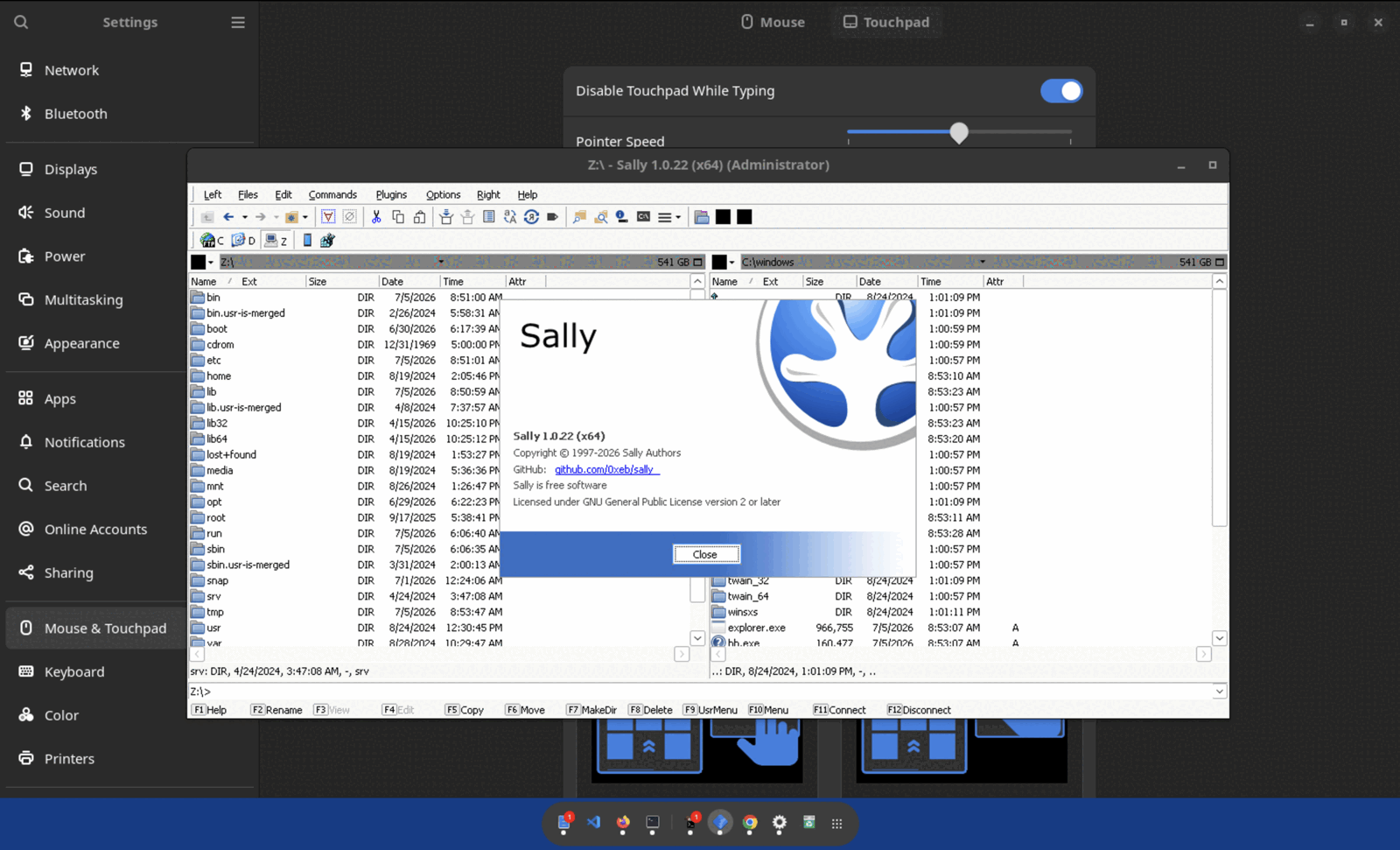
Sally is a native Windows program, and it runs well under Wine 10.0 and newer, with no Windows licence and no virtual machine. Unpack the x64 zip and start it with wine sally.exe; it needs no .NET and no Wine Mono or Gecko.
Speaks your language
English plus 10 maintained translations ship in every release. Switch any time under Options › Configuration › Language.
- Chinese (Simplified)
- Czech
- Dutch
- French
- German
- Hungarian
- Romanian
- Russian
- Slovak
- Spanish
Support Sally
If Sally saves you time, a donation pays for the next fix, and a GitHub star helps a small Windows project get discovered.