 Sally
SallyFeatures
Your window, your way
Sally keeps the dense, classic layout that makes two panels fit on any screen, and lets you decide how much of it you see.
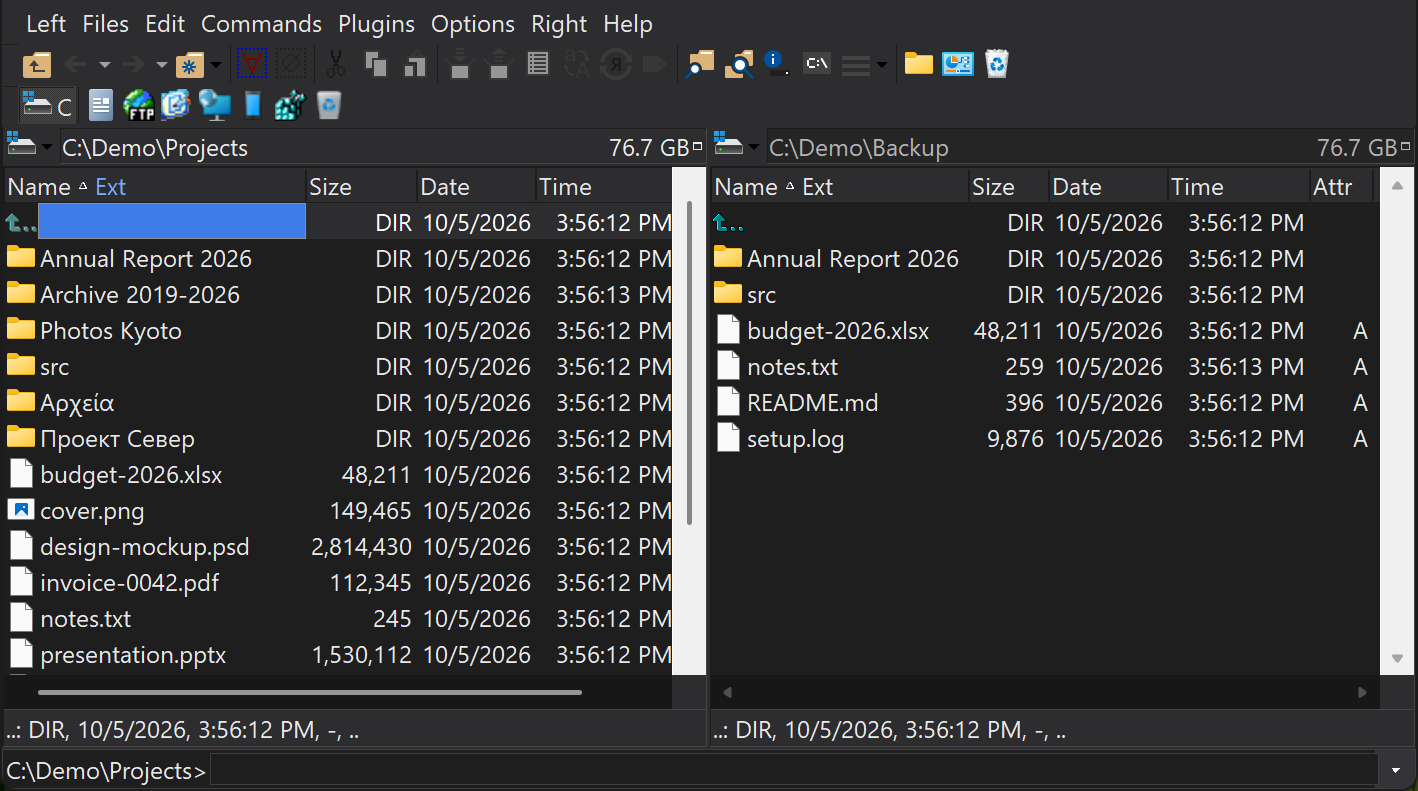
Light, Dark or System
Options › Configuration › Appearance › Theme sets the mode: Light, Dark, or System to follow the Windows app setting. Dark mode covers the panels, menus, dialogs, viewers and the bundled plugins. When Windows High Contrast is on, it takes precedence and Sally uses its colors.
Colors and highlighting
Choose a color scheme or set each color yourself: panel text and background, focus and selection, and the colors for hidden, system, compressed and encrypted files. Highlighting rules color any group of files by mask and attributes, for example every *.zip in blue.
Toolbars and bars
Show or hide the top toolbar, the per-panel middle and bottom toolbars, the drive bars, the hot path bar, the user menu bar and the plugin bar, and choose their buttons. Menus can be shortened to a beginner, intermediate or advanced set of commands.
Icons and overlays
Panels show the same file icons as Explorer, thumbnails in Thumbnails view, and the status badges that tools such as TortoiseGit, TortoiseSVN, OneDrive, Dropbox and Google Drive add to file icons. Sally can show more of these overlays at once than Explorer's limit of about fifteen handlers, and you can turn individual handlers off.
Eleven languages
English, Chinese (Simplified), Czech, Dutch, French, German, Hungarian, Romanian, Russian, Slovak and Spanish ship in every release. Change the language under Options › Configuration › Language; plugins follow it.