 Sally
SallyFeatures
See inside a file without opening an application
F3 opens the focused file in the viewer that fits it. Alt+F3 uses the alternate viewer, and Ctrl+Shift+F3 lets you choose.
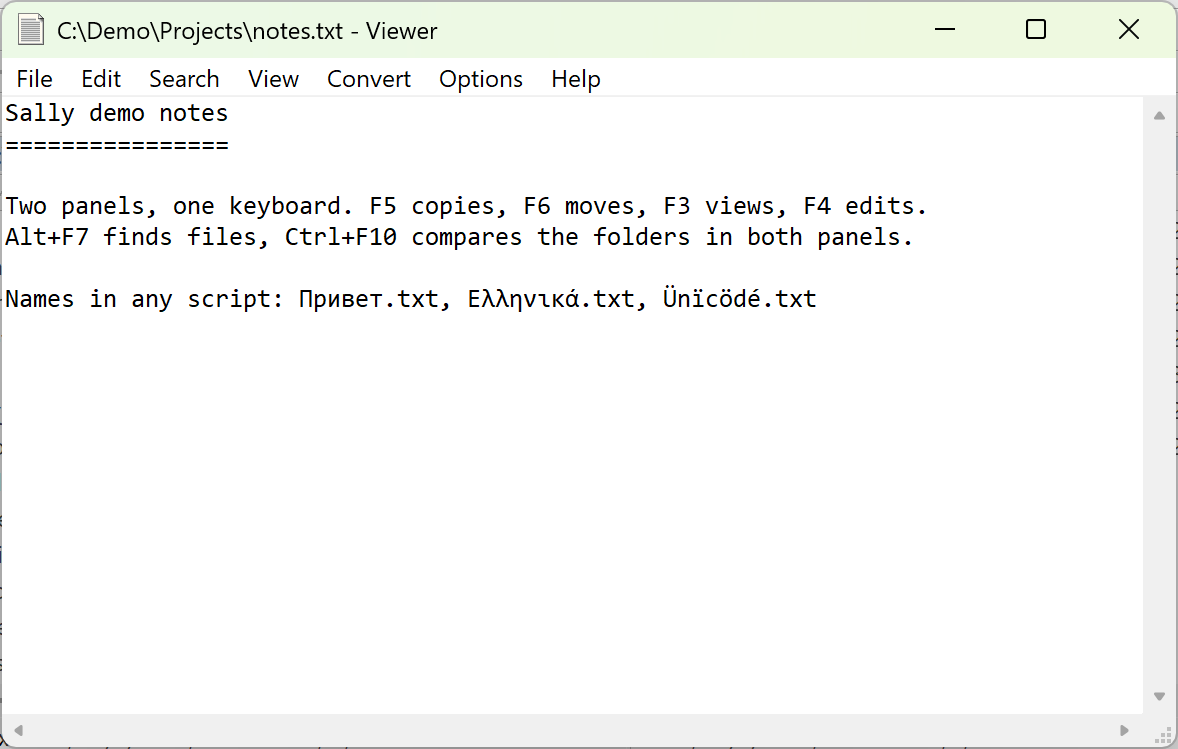
Internal viewer: text and hex
The internal viewer shows any file as text or as hex. Text files with a UTF-8 or UTF-16 byte-order mark open decoded, and F8 cycles through code pages for older files. F4 or Ctrl+H switches to hex, which always shows the raw bytes.
- Find text forward and backward (F7, then F3 for the next match), with regular expressions or as hex byte sequences.
- Select with the mouse or keyboard and copy to the clipboard or to a new file.
- Wrap long lines, go to an offset, view full screen.
- Step to the previous or next file of the panel, or of the Find results, without closing the viewer.
Web Viewer: HTML, Markdown, SVG
The Web Viewer uses Microsoft Edge WebView2 to render HTML, XML, SVG and images. Markdown files render with GitHub-style formatting and their images, so a README.md looks the way it does on GitHub.
Specialist viewers
| Viewer | Shows |
|---|---|
| PE Viewer | EXE and DLL files: machine type, headers, imports, exports, resources, debug information |
| Database Viewer | dBase and FoxPro DBF, CSV and tab-delimited files, with search and bookmarks |
| Multimedia Viewer | MP3 ID3 tags, Ogg Vorbis, WMA, WAV and tracker module information |
| UnISO | CD and DVD image properties |
| File Comparator | Two files side by side with the differences highlighted, down to the character |
Viewers and editors are chosen by file mask under Options › Configuration › Viewers and Editors, so you can also send a type to any external program.