 Sally
SallyFeatures
Compare, rename and the other jobs
The tools you otherwise install one by one are part of Sally and work on the files already selected in the panel.
Compare folders
Ctrl+F10 compares the folders open in the two panels and selects what differs: files missing on one side, newer or larger files, different attributes or different content, and optionally subfolders. Then F5 copies just the selected differences across, and the "overwrite older and skip the rest" copy option makes a simple one-way sync.
Compare files
The File Comparator shows two text or binary files side by side and highlights changed lines and, within them, the added, changed and deleted characters. It can ignore white space and case, detects text encodings including Unicode, and converts between them so files saved with different encodings still compare cleanly.
Batch rename
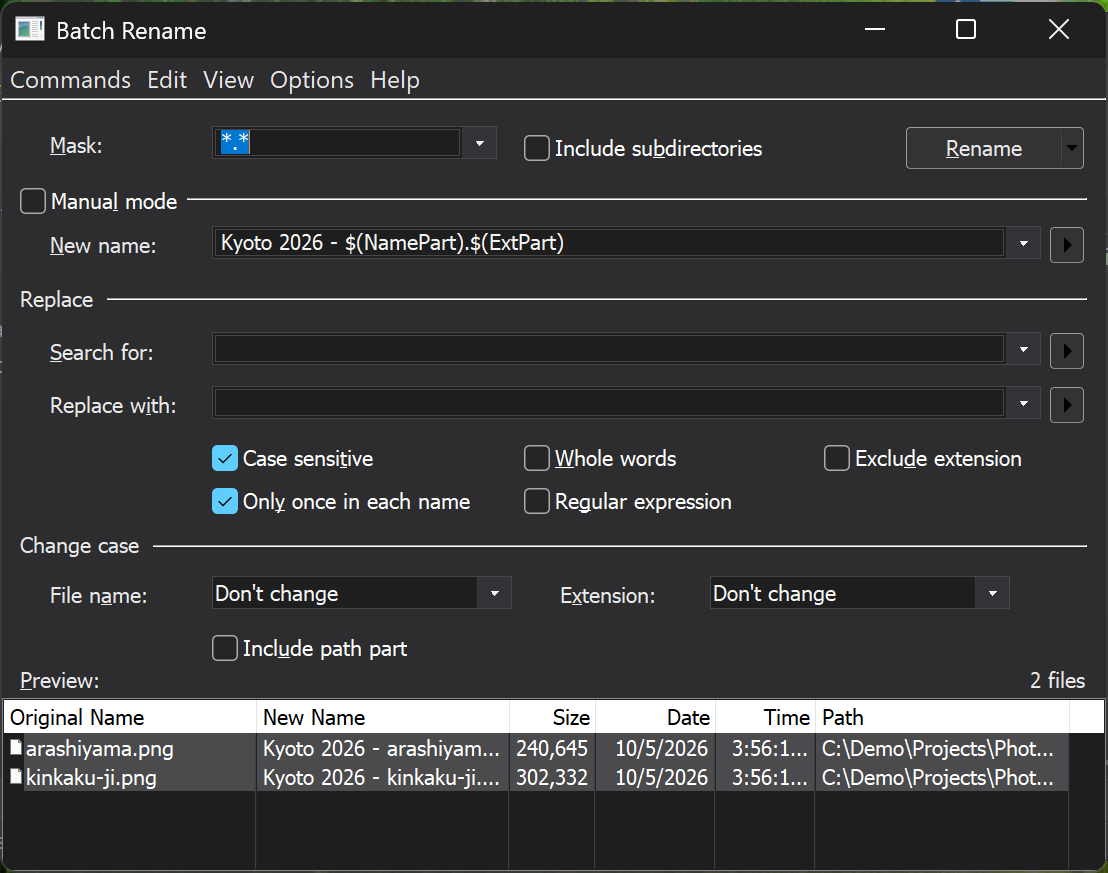
Ctrl+Shift+R opens Batch Rename for the selection. Build new names from parts of the old name, counters (decimal or hex), file size, date and time; search and replace, with regular expressions for reordering; change case; or edit all names as text. A live preview shows every resulting name before anything changes, and the rename can move files into other folders through the new path.
Checksums
The Checksum plugin calculates CRC32, MD5, SHA-1, SHA-256 and SHA-512, saves them as SFV or hash files or to the clipboard, and verifies a set of files against such a file after a transfer.
Split and combine
Split & Combine cuts a large file into parts of a given size or count, and joins them back with a CRC check. It also writes a batch file so the parts can be joined on a machine without Sally.
Disk usage
DiskMap draws a folder or drive as a treemap, each file a rectangle sized by the space it uses, so the large files stand out. Alt+F10 and Drive Information (Ctrl+F1) give the numbers.
Undelete
Undelete recovers deleted files from NTFS, FAT12, FAT16, FAT32 and exFAT volumes, mounted or not, and from disk image files. On NTFS it restores alternate data streams and compressed and encrypted files too. Recover to a different drive from the one you are rescuing.